
Middle School AI & Robotics
From coding a first moveto building a six-axis robot project
Over three years, students program real robots to handle, sort and coordinate. They use code, data and debugging records to explain their capstone work.

- Grades
- 7–9
- Terms
- 6
- Sessions
- 96
- Minutes per session
- 90
Six terms of learning on real robots
The programme runs for 96 sessions, with 16 sessions per term and 90 minutes per session. Open a term to see its focus, project and learning goal.
Grade 7
Term 1 · 16 sessionsMeet the robot arm and its block editor
Robot modules, joints, gripper and preset poses.
- Project
- Build a joint-and-gripper sequence
- Learning goal
- Combine individual commands into a working sequence.
Term 2 · 16 sessionsMotion sequences and fixed-point handling
Sequences, loops, conditions and fixed-point handling.
- Project
- Pick, transfer and place a part
- Learning goal
- Program and test a repeatable handling cycle.
Grade 8
Term 1 · 16 sessionsVision recognition and guided picking
Read object classes and positions returned by vision.
- Project
- Sort several parts by colour or shape
- Learning goal
- Translate vision results into robot pick-and-place actions.
Term 2 · 16 sessionsHand-guiding and leader-follower control
Hand-guiding, recording, playback and paired teleoperation.
- Project
- Complete a paired teleoperation task
- Learning goal
- Compare playback and leader-follower control under teacher supervision.
Grade 9
Term 1 · 16 sessionsDemonstration data and policy trials
Collect demonstration data and try a pretrained policy.
- Project
- Run a transfer on a real robot using a pretrained policy
- Learning goal
- Organise data and explain how a policy differs from a rule-based program.
Term 2 · 16 sessionsEmbodied AI capstone and presentation
Combine programs, data and real-robot validation.
- Project
- Build and present an end-to-end team project
- Learning goal
- Use the program and debugging records to explain results and improvements.
From fixed-point handling to vision sorting
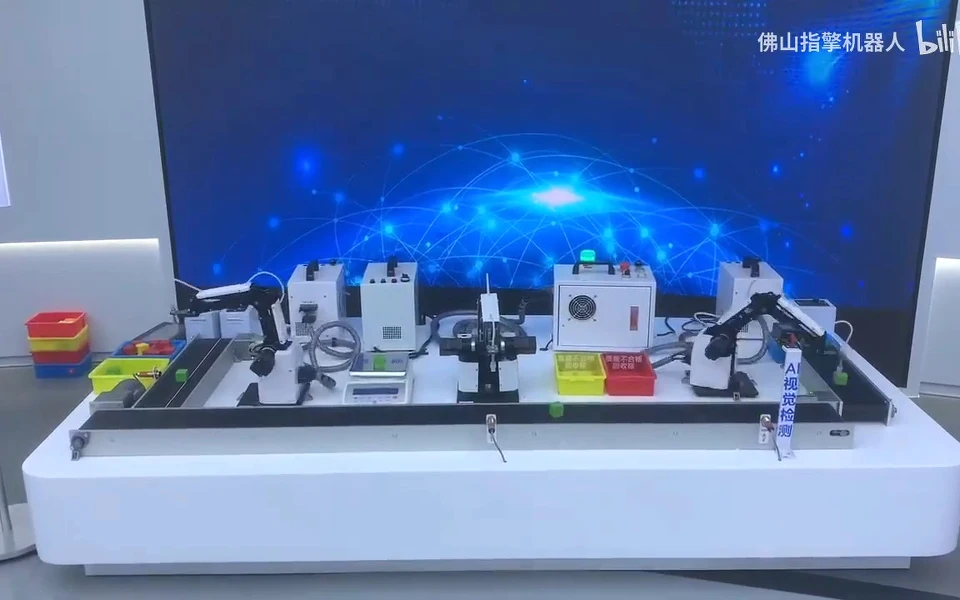
Students first test a repeatable pick-and-place cycle. They then use object classes and positions returned by the camera. Later terms introduce hand-guiding, teleoperation and a capstone combining data, policy trials and real-robot checks.
- Plan a handling cycle
- Use vision results
- Test on a real robot
Before the first class
Before teaching begins, validate the block editor, tooling and vision setup. Leader-follower work requires the secondary arm, and policy trials need a compatible model and test environment. Full ROS 2, MoveIt 2 and 3D vision development can support teacher preparation or extension work. Preview student programs and obtain teacher approval before low-speed runs on the real robot.
A six-axis platform for hands-on lessons
Explore the equipment and configuration options for fixtures, vision and teleoperation.
Resources for teachers
Explore related robotics applications and technical readings to plan lessons and discuss testing and debugging.
Plan the next lesson
Use the resources to choose an appropriate level for your students.
Plan three years of school robotics
Share the grades, timetable, teaching team and equipment. Together we can plan group work, preparation resources, teacher support and safe robot practice.
Questions from schools
Do students need Python or ROS 2 first?
The core tasks start with basic blocks. Python, ROS 2 and lower-level development can be introduced in extension work.
Which terms need extra hardware?
Confirm tooling and vision for the planned tasks. Leader-follower work needs the secondary arm, and policy trials need a verified compatible model.
What can students present at the end?
Teams can demonstrate their real-robot program and workflow, and explain the data and debugging records behind it.

