
Primary School AI & Robotics
Real robots bringearly coding to life
Start with a desktop robot arm. Connect block-based coding, AI vision and hands-on tasks in a sustained school programme, with a clear path for teachers and students.

- Grades
- 4–6
- Terms
- 6
- Sessions
- 96
- Minutes per session
- 90
Six terms of learning on real robots
The programme runs for 96 sessions, with 16 sessions per term and 90 minutes per session. Open a term to see its focus, project and learning goal.
Grade 4
Term 1 · 16 sessionsPrograms that move
Sequences, loops and desktop pick-and-place.
- Project
- Move blocks to a marked position
- Learning goal
- Break a task into actions that run in order.
Term 2 · 16 sessionsPrograms that decide
Conditions, variables and lists.
- Project
- Colour-sorting assistant
- Learning goal
- Use input to make decisions and keep track of results.
Grade 5
Term 1 · 16 sessionsPrograms you can reuse
Custom blocks and parameters.
- Project
- Automated warehouse assistant
- Learning goal
- Package repeated actions and adapt them for multiple transfers.
Term 2 · 16 sessionsPrograms that observe
Object recognition and coordinates.
- Project
- See a colour and pick it up
- Learning goal
- Turn a recognition result into a working pick-and-place task.
Grade 6
Term 1 · 16 sessionsPrograms that interpret commands
Strings, branching and wait, run and reset states.
- Project
- Voice control console
- Learning goal
- Map voice inputs to robot actions and manage state transitions.
Term 2 · 16 sessionsSystems that work together
Explore vision, language and action and combine control methods.
- Project
- AI Robotics Innovation Challenge class project
- Learning goal
- Work in teams to develop, debug and present an integrated robot project.

One desktop task connects vision and movement
In a colour or shape sorting exercise, students observe the objects identified by the camera, plan pick-and-place actions and check the result using actual blocks.
The example is supported by the equipment. The selected tasks and extension work depend on the school’s curriculum plan.
- Identify the target
- Plan the sequence
- Test and improve
The course uses an adapted block editor. Confirm the editor and hardware configuration before classes begin. Roboarm_v1 natively supports touchscreen, Python, web, voice and serial control. Vision, voice and coordination activities depend on the teaching setup.
A real desktop robot for practical lessons
Roboarm_v1 supports visual observation, handling and interaction. Confirm classroom equipment and teaching resources around how classes will run.
Teaching references for staff
Explore practical robot education and optional technical reading for lesson planning. Choose classroom activities for the primary age group.
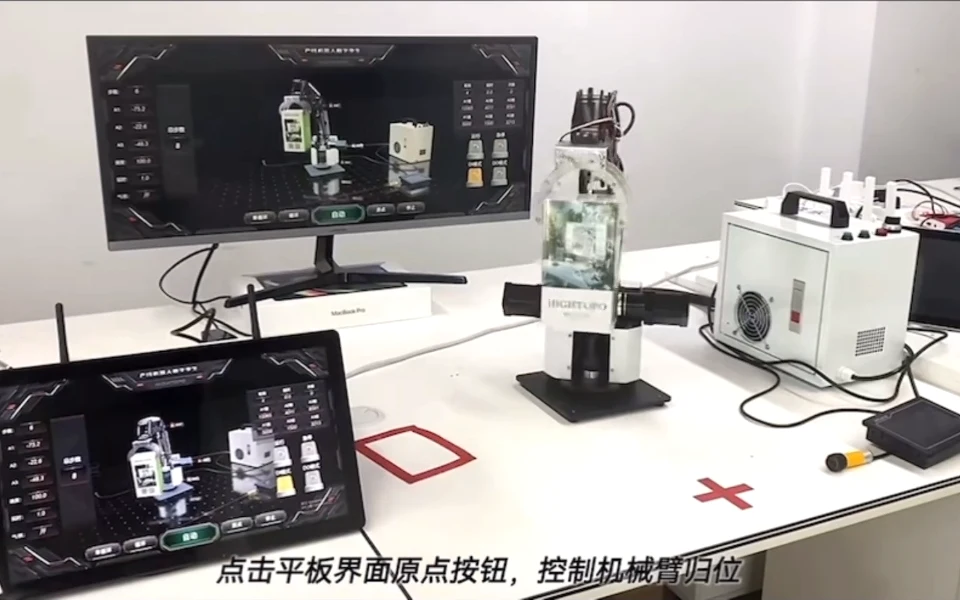
For classroom preparation
Review how a result from a camera can guide a robot movement. The resource is for teachers planning an age-appropriate activity.
Bring robotics into your school
Share your grade levels, class size, timetable and current equipment. We can discuss delivery, lesson materials, teacher training and on-site options.
- SchedulingFit the programme to the school timetable
- PreparationReview equipment, materials and experiments
- DeliveryAgree teacher training and on-site options
Questions from schools
Can students start without coding experience?
The programme starts with robot basics and block-based instructions. Schools can discuss how to adjust the depth of the practical work.
How is the programme scheduled?
The full programme is 96 sessions of 90 minutes over six terms. Discuss the timetable, group size and equipment with the school team.
What do teachers need to prepare?
Start with existing equipment, classroom space and preparation needs. Course materials, teacher training and any delivery support are agreed in the plan.
What can students show at the end?
Students can demonstrate an age-appropriate task such as vision-guided sorting and explain their program and adjustments. Exact activities depend on the agreed plan.

