

Primary school · Grades 4–6
Students move from exploring a robot to using vision and voice interaction, refining their code and testing ideas with a real desktop arm.
Bring AI and industrial robotics into the classroom. ZEKEEP helps schools, vocational colleges and universities plan equipment, projects and teacher support around what learners will build.
Primary learners build confidence with code and a real desktop robot. Middle school students progress to a six-axis system and connect software, perception and motion.
Students move from exploring a robot to using vision and voice interaction, refining their code and testing ideas with a real desktop arm.

Progress from operating a robot to understanding the system. The six-axis platform opens a path to modeling, motion control and 3D perception. Teleoperation and computing options depend on the teaching setup.
In this 16-session project, learners read a board with machine vision, generate moves and coordinate two robotic arms to play them. The equipment page covers the hardware and configuration.
Plan labs around the capabilities students and researchers need to develop.
Use PLC, STM32 and sorting workstations to practise commissioning, from teaching one machine to troubleshooting a connected process.
Use the six-axis platform for ROS 2, 3D vision, motion planning and hardware validation. Configure depth sensing, leader–follower teleoperation and computing for the lab’s objectives.
Design projects around observable steps, from inspection and picking to conveying and sorting.
Build a progression of real projects around the school’s teachers, space and learning goals.
Plan desktop equipment, workstations and lab space around age groups and class size.
Scope programs, teaching materials, professional development and on-site support around the project.
Plan robotics projects, competition coaching or school showcases. Confirm delivery details for the school’s program.
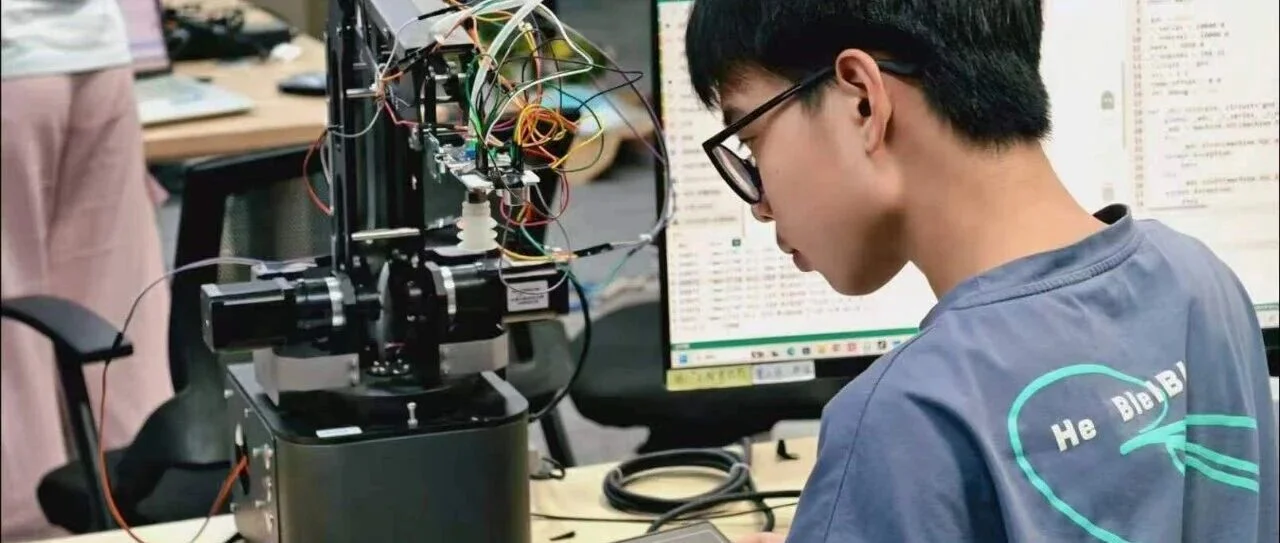
A published robotics camp shows hands-on building, debugging and arm operation. The vision training case offers another context for applied learning.
Start with a grade, learning goal, timetable and existing equipment. From there, choose a desktop arm, a project kit or a lab workstation.
Review the available room, staff and network first. Hardware, teacher training, on-site support and teaching resources can be scoped around class size and planned activities.
The 16-session project links board perception, move decisions and robot motion. The ZK-CC page covers the hardware. Ask us about classroom delivery and scope.
Share your learner ages, class size, equipment and goals. We can discuss program design, teacher support and lab requirements.

